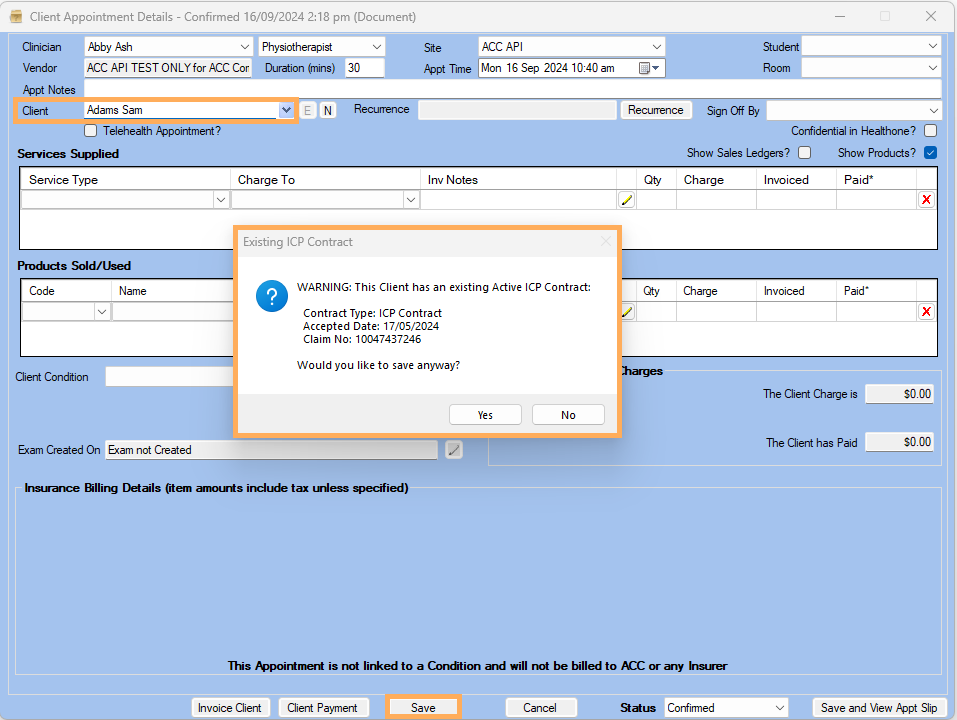


Alert for Active ICP Contract with Exit Date
This document demonstrates how to be notified when an active ICP Contract contains an Exit Date
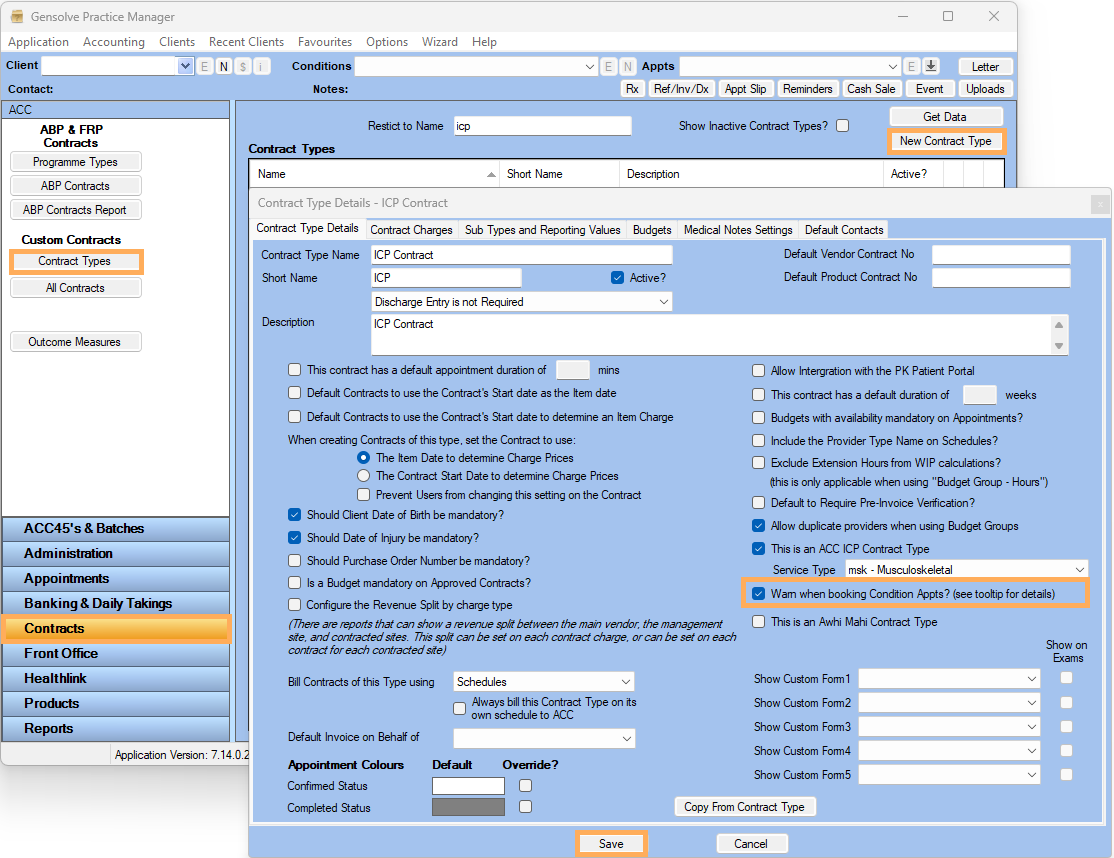
- Go to Contracts >> Contract Types >> New Contract Type
- On the Contract Type Details , An ACC ICP Contract is flagged by ticking This is an ICP Contract Type
- Select the Service Type as msk - Musculoskeletel (Note: Initially the ACC is only facilitating the msk Service Type.)
- Tick Warn when booking Condition Appts ?
- Fill in the Other Details >> Save
Note: For further information See the document on Setting
up to Use ACC ICP Contract Types
Setting
up to Use ACC ICP Contract Types
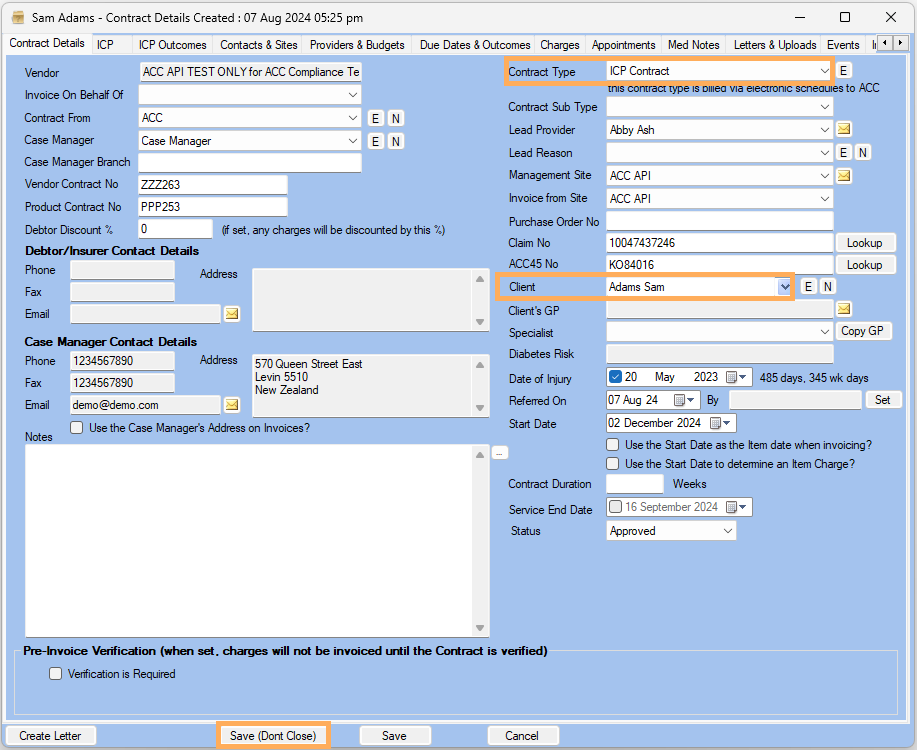
- Go to Contracts >> All Contracts >> New Contract
- Select the above created Contract Type >> Select the Client
- Fill in the other Details >> Save
Dont Close
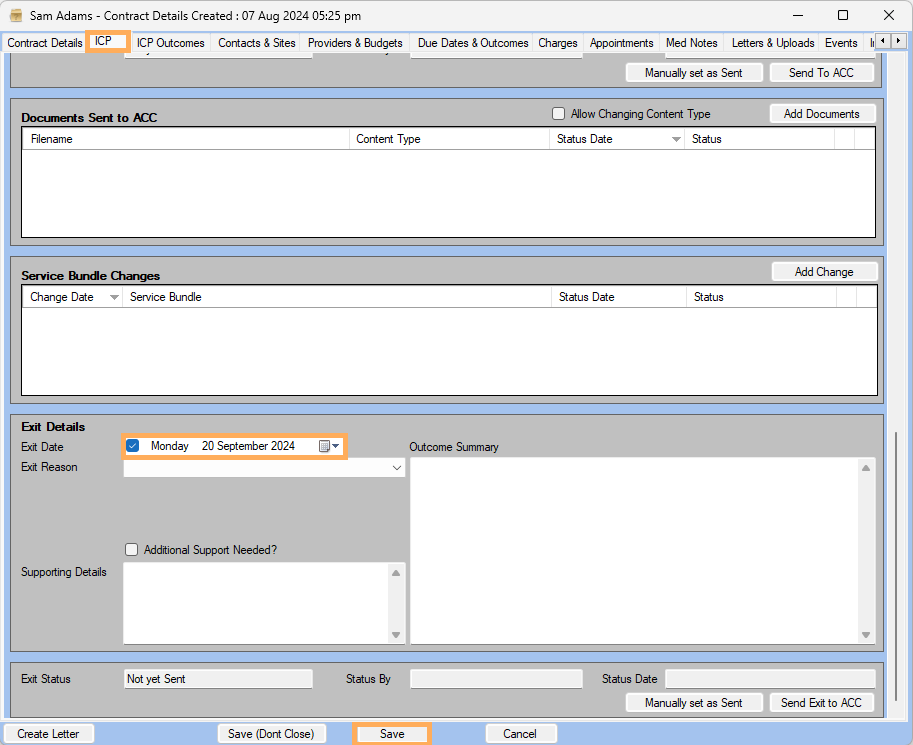
- Go to ICP Tab >>
Case Details >> Enter Exit
Date >> Save
- Go to Appointments >> Create the appointment
- Select the same Client >> Save
- Warning message will be displayed that client has an existing active
ICP Contract