

How to Send Multiple Insurer Schedules in One Email
Description
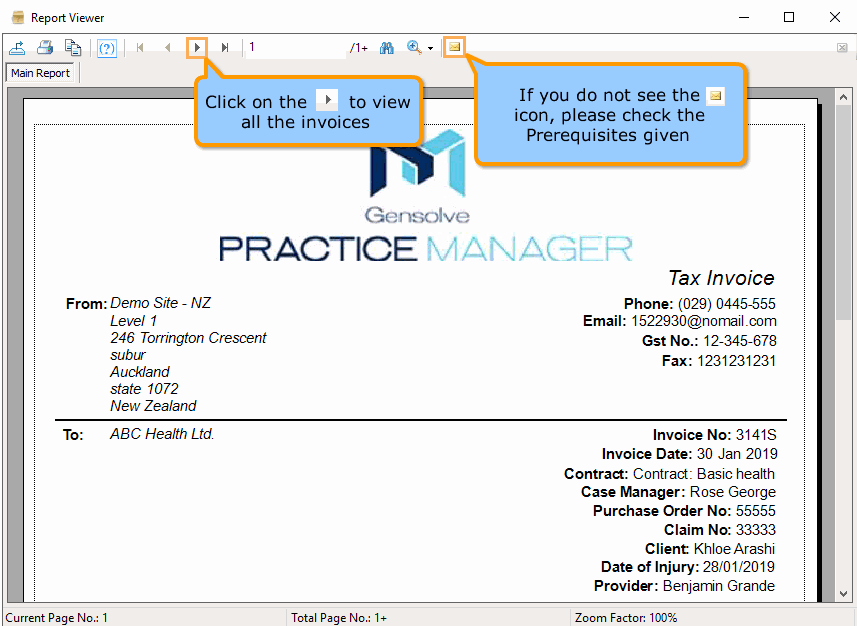
Buttons 'Multi Invoice', 'Include All' and 'Include None' allow selecting multiple Invoices (all for the same Insurer) to open a multi invoice report which can then be emailed in the same way you can when creating a new Insurer schedule.
Prerequisites
Set up for emailing from GPM. For more information see: Sending Emails from GPM.
Insurer has been set up. For more information see: How to Setup a New Insurer.
Insurer schedules have been created. For more information see: How to Create an Insurer Schedule.
Steps
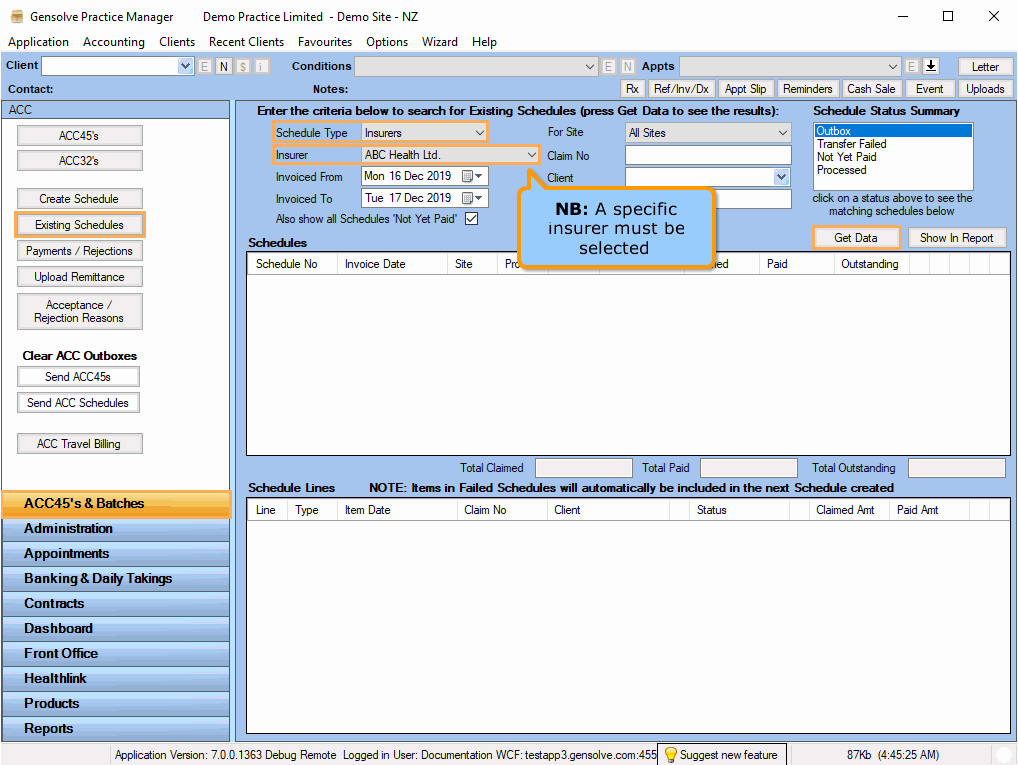
1. Go to ACC45s&Batches >> Existing Schedules >> On Schedule Type, select Insurers >> On Insurer, select the previously set up Insurer >> Click on Get Data
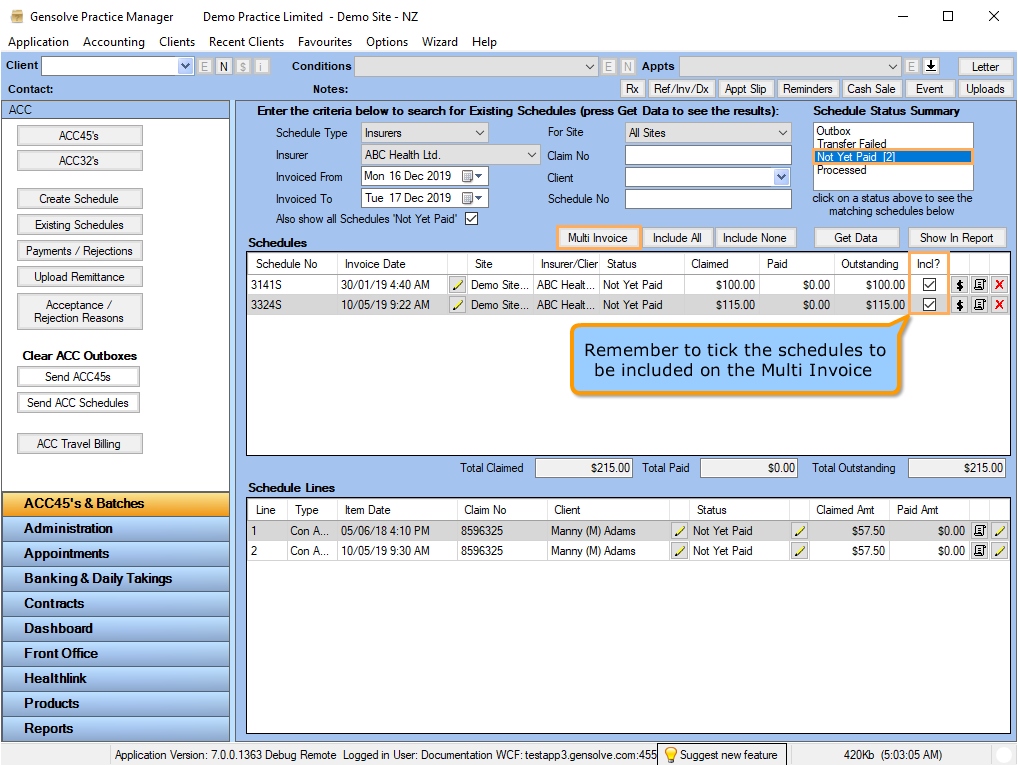
2. Click on Not Yet Paid >> In the Incl? column, tick all of the schedules to be multi invoiced >> Click on Multi Invoice
3. On the report, navigate to see all of the invoices >> Click on the mail icon to send the multiple invoice