

How to Set a Debtor Discount for Contracts
Reason
A new setting on a Contract to specify that the Debtor will receive a discount on the normal charge and it is possible to override this setting for a single charge.
Prerequisites:
How to Set Up a Contract Type : How to Set Up a Contract Type
How to Create a Contract Appointment : How to Create a Contract Appointment
Solution
How to Set a Discount against a Debtor
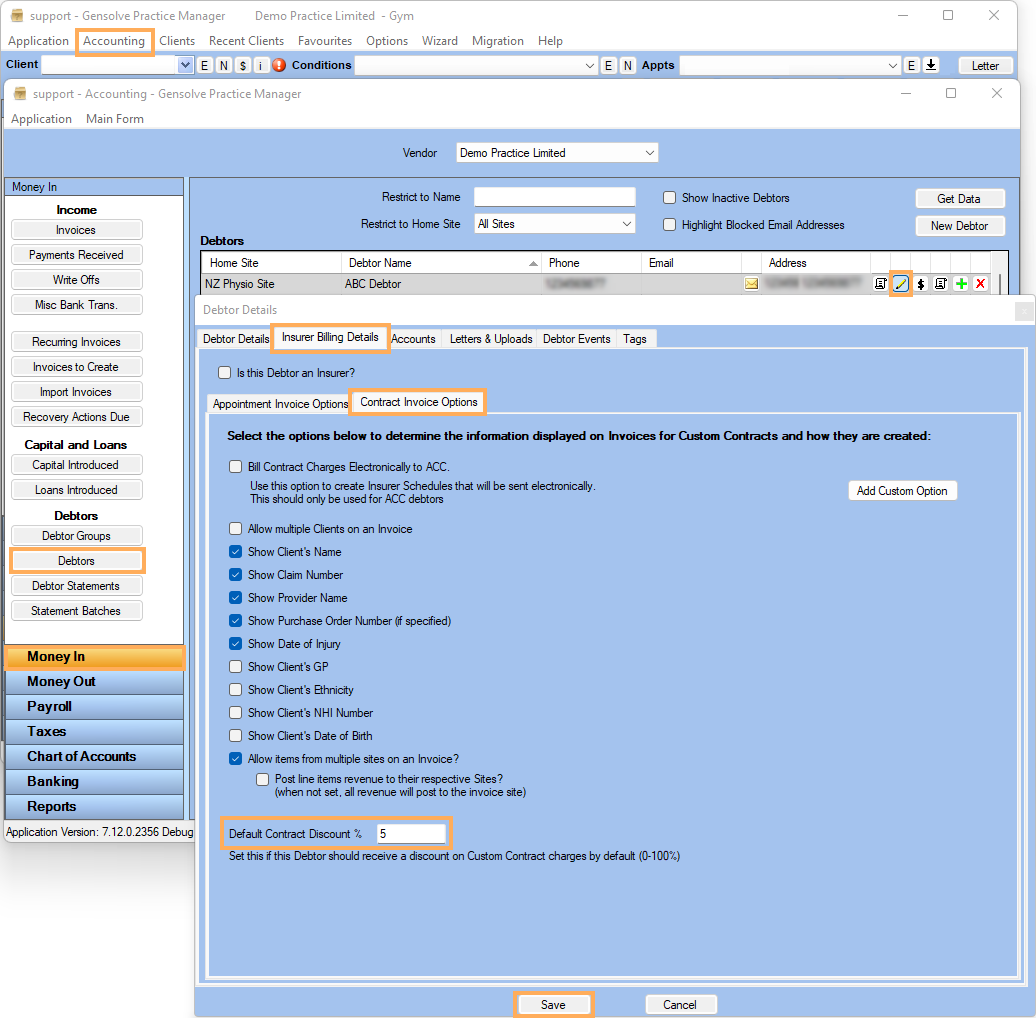
1. Go to Accounting >> Accounting Form >> Money In >> Debtors >> Create a New Debtor or Edit an existing one
2. Go to Insurer Billing Details Tab >> Contract Invoice Options add Default Contract Discount % >> Save
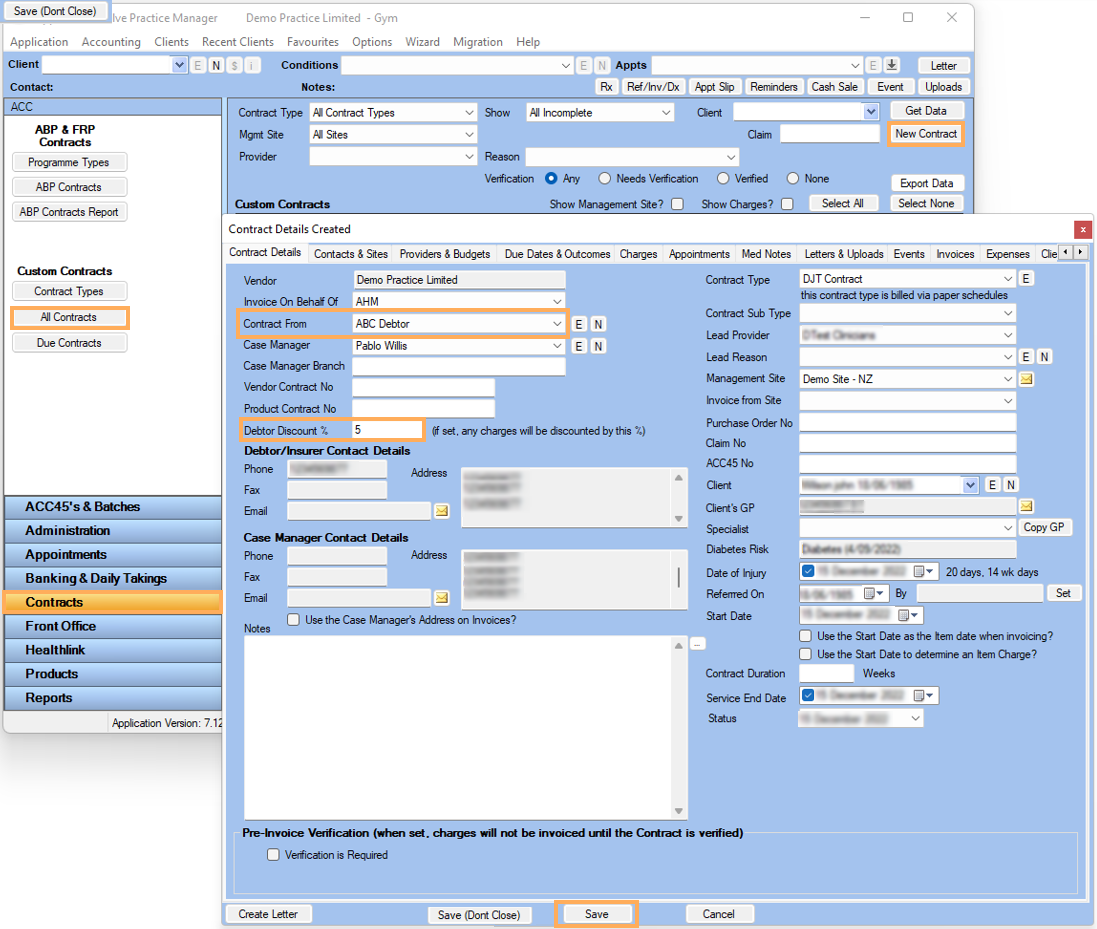
3. In the Main Form Click on Contracts >> All Contracts >> New Contract >> Select the Debtor in Contract From .Debtor Discount % will be shown automatically >> Fill in the Contract Details >> Click on Save
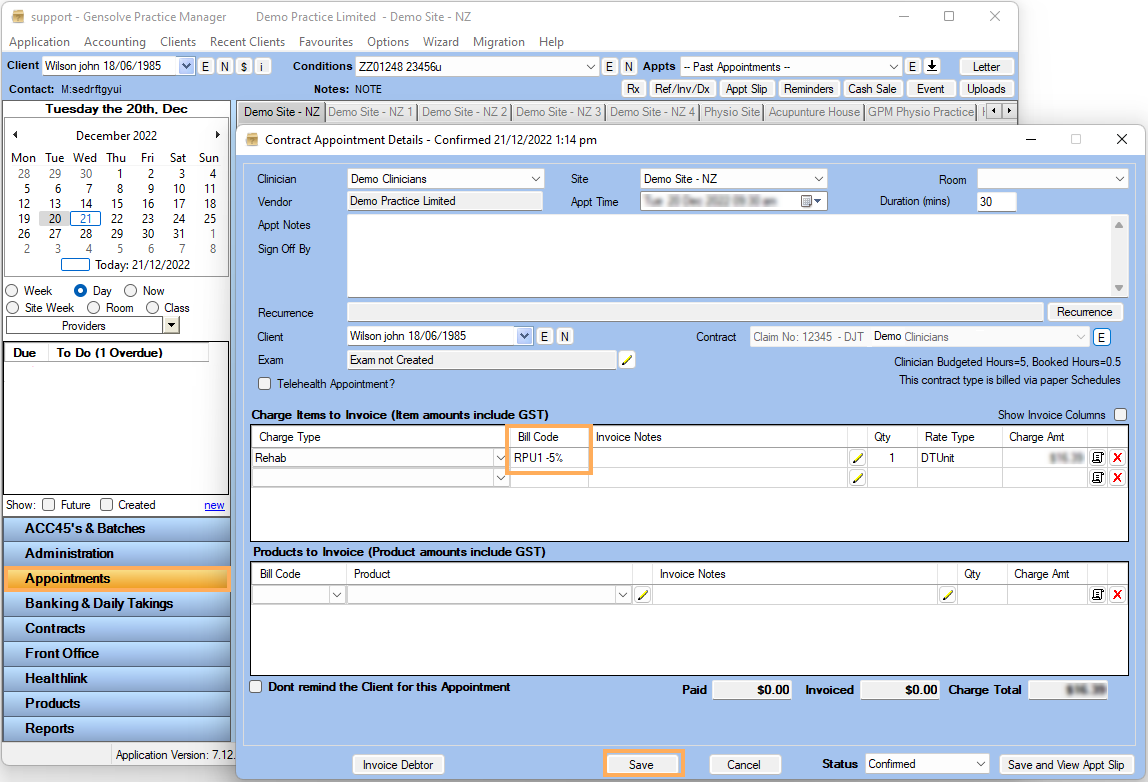
4. Go To Appointments >> Right Click on the Clinician Schedule >> New Contract Appointment >> Select Contract >> Select Charge Type >> Bill Code Discount will show >> Save
To override default Debtor Discount on a Contract Charge
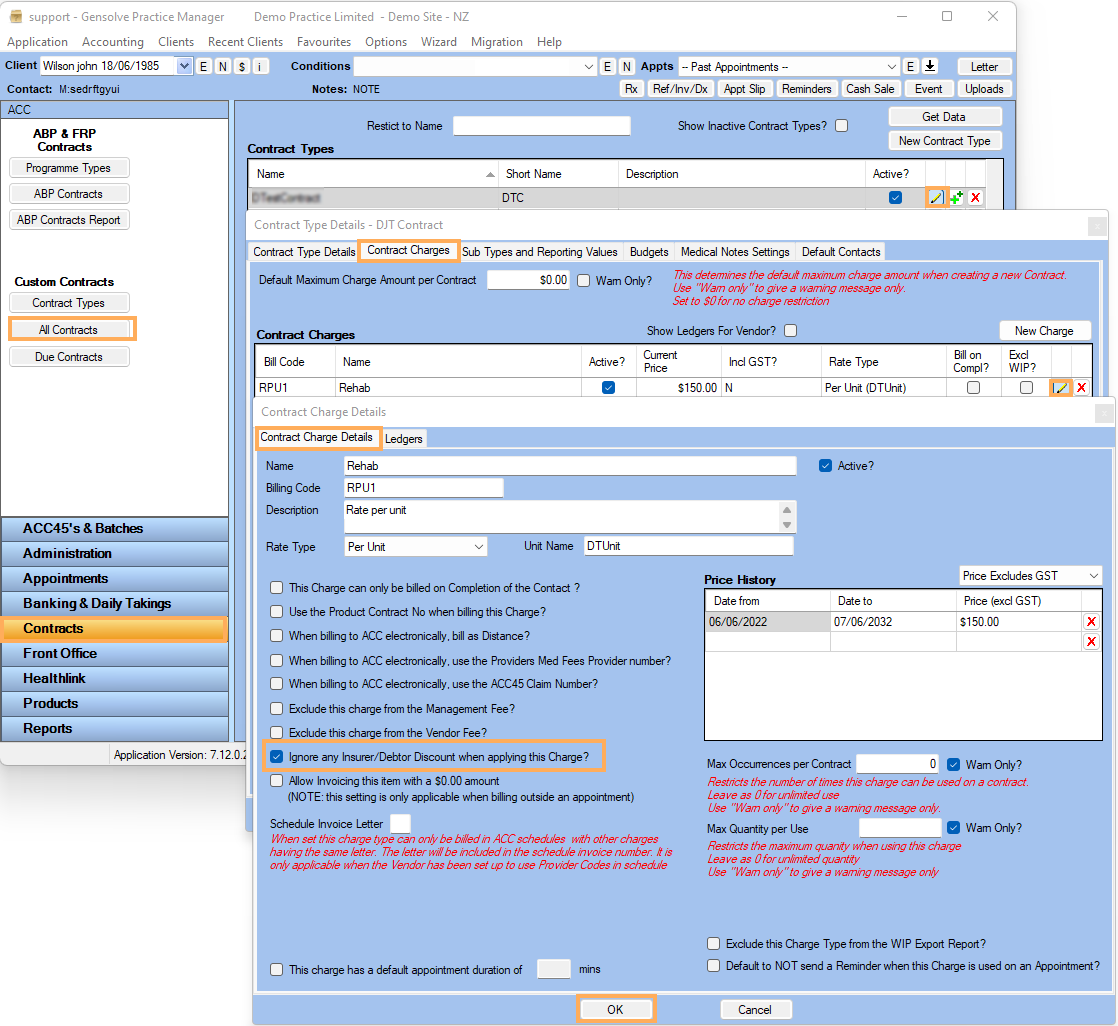
1) Main Form Contracts >> Contract Types >> Edit the Contract >> Go to Contract Charges >> Edit the existing one >> Tick on Ignore any Insurer/Debtor Discount when applying this Charge? >> OK