


Managing Orchard Codes
Orchard Codes are an alternative classification for injuries different to the Read Codes method currently used for ACC Conditions.
Follow the processes below to learn how to create and use Orchard Codes in GPM:
Creating Orchard Codes in GPM
You will be able to create, edit and delete Orchard Codes within GPM as follows:
- Go to Administration >> Orchard Codes
- Click on New Orchard Code
- Fill in the form (Code, Description, Exam Injury Type, Availability, Display)
- Click Save
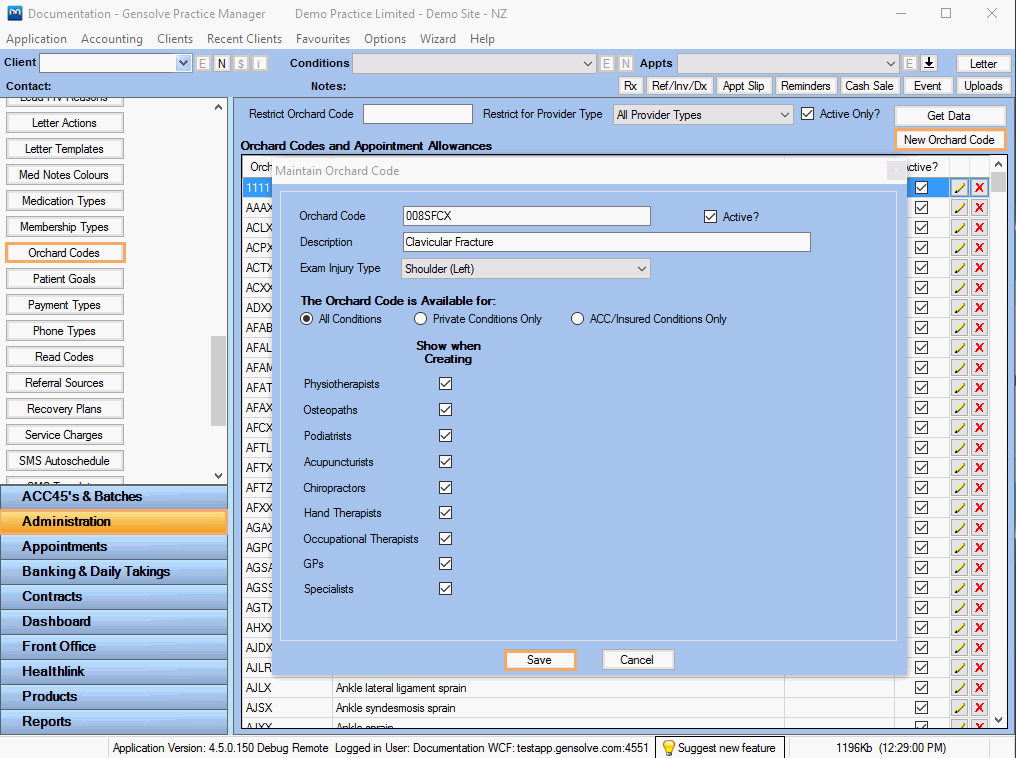
Note:
Click on  and
and  to Edit or Delete a specific Orchard Code
Using Orchard Codes in GPM
You will be able to use Orchard Codes from the ACC Condition Details Window as follows:
- Create/Edit an ACC condition for a specific client.
For more information
see:  How to Create an ACC Condition
- Check Show Orchard Codes in Injury Diagnosis and Assistance panel
- Select the Orchard Code to be used and Side
Note: All Orchard Codes created (under Administration > Orchard Codes) will be displayed in the drop down list. Ensure the Orchard Code you select has been created for the specific Claim and Clinician Type. Otherwise, the condition will be rejected.
- Click Save
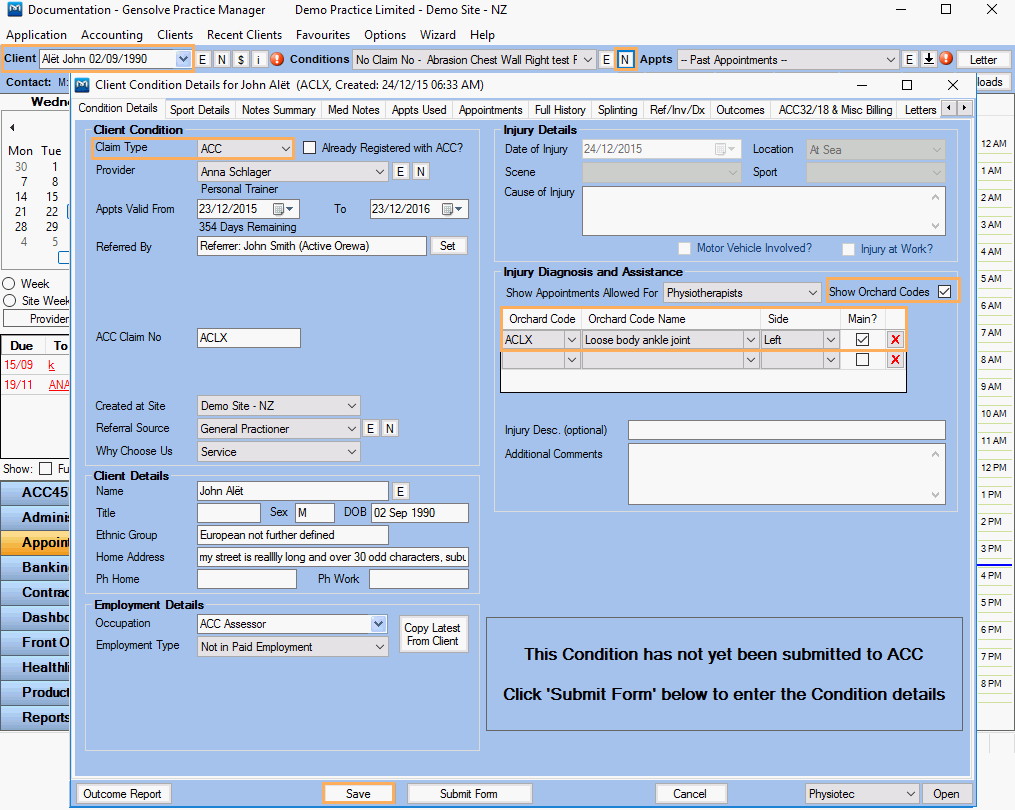
-
You will now be able to use/edit this condition (listed with its respective Orchard Code Name in the Client's Conditions Drop Down list).
