

How to Create Credit Card Surcharge
Issue
How to create a credit card surcharge so that it calculates the percentage to be added to the appointment charge when a client is paying by credit card
Solution
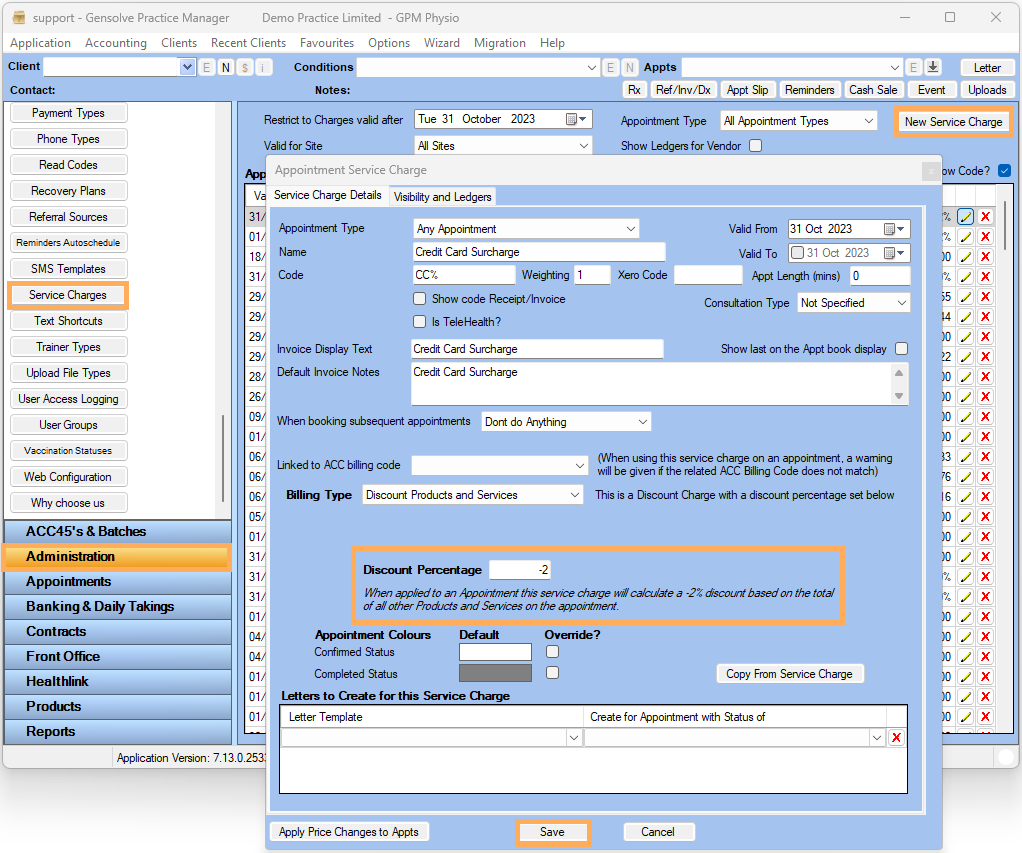
1) Go to Administration >> Service Charges >> New Service Charge
2) Change Billing Type from Standard Charge to Discount Products and Services
3) So that the percentage will add to charges on an appointment, enter a negative value for the Discount Percentage >> Save
How to use the Credit Card Surcharge on an Appointment
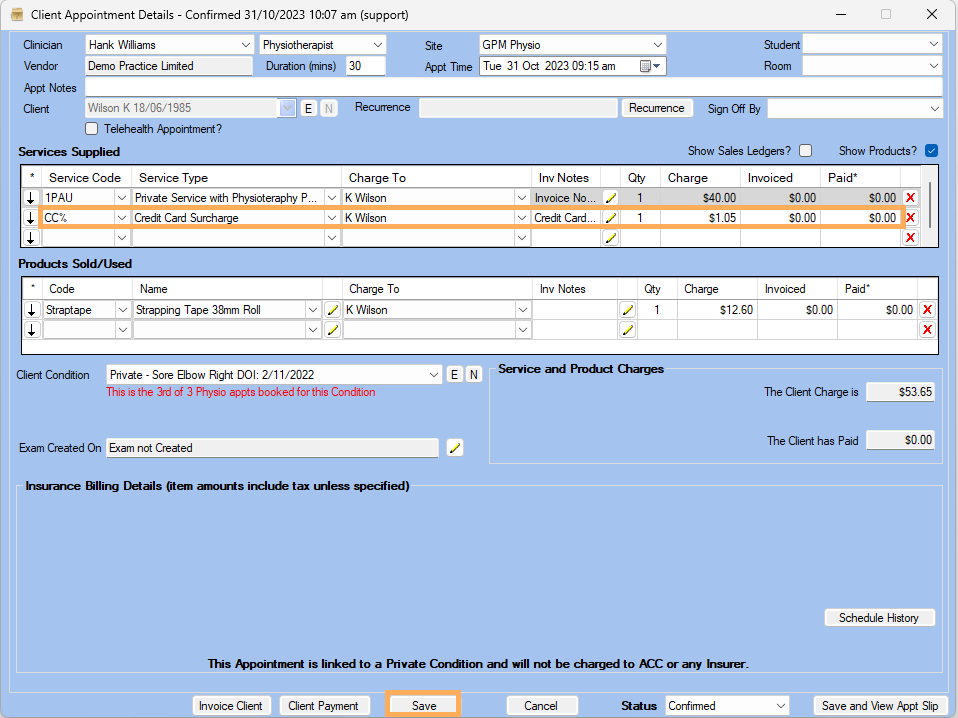
1) Create an Appointment >> Add Service Charge and Products to the appointment, and add a second line under Services Supplied: Credit Card Surcharge >> Save
Note : For more information on How to create an appointment see : How to Create an Appointment