

How to Send an Email to a Contract Contact
Solution
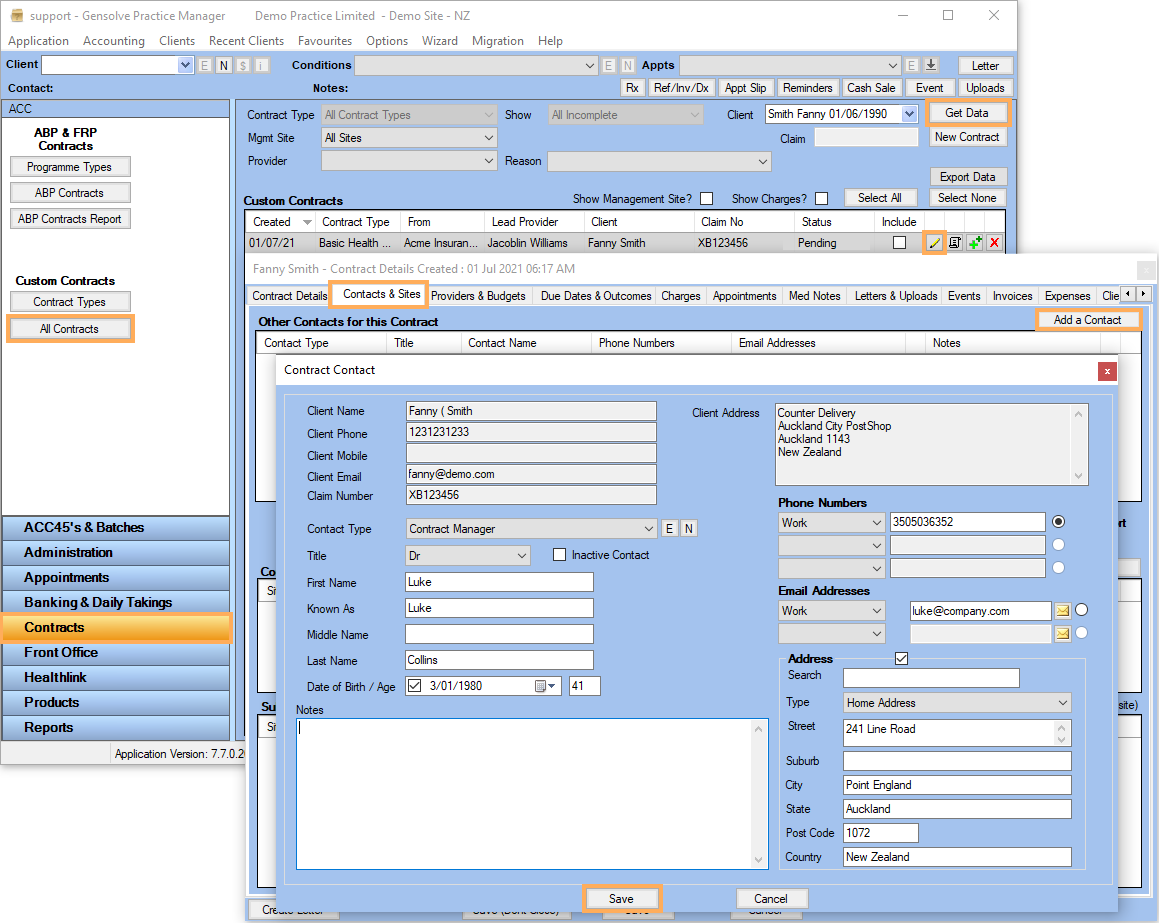
- Go to All
Contracts >> Click on Get
Data >> Click on
 to edit
the Contract
to edit
the Contract - Click on Contracts & Sites tab >> Click on Add a Contract
- Fill the form >> Click on Save
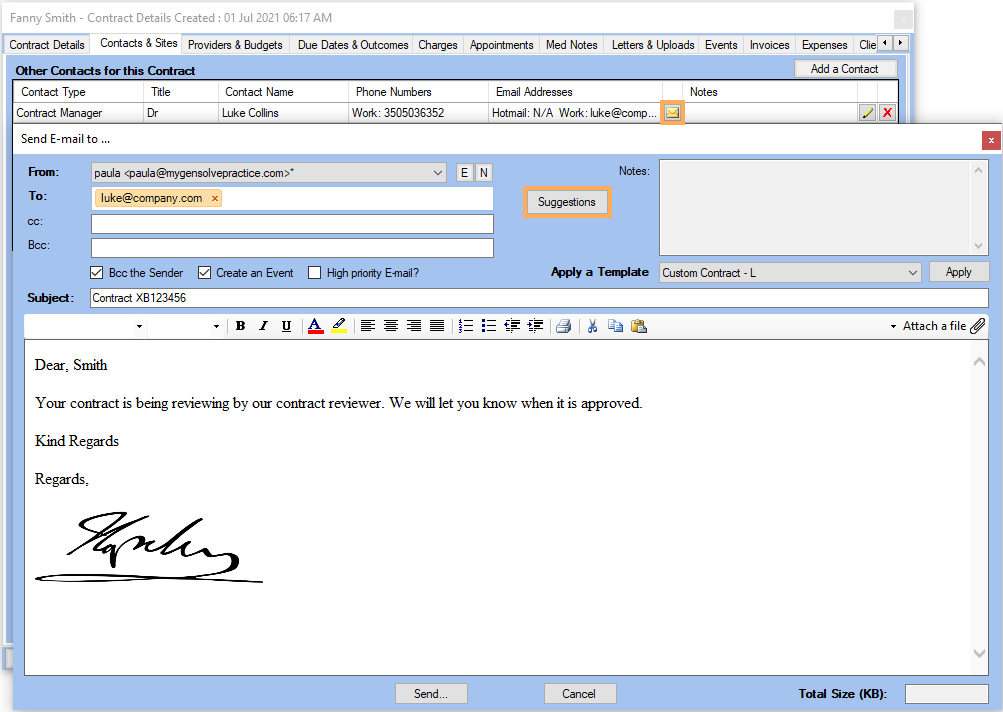
- Click on
 to send the Email to
 - Click on Suggestions
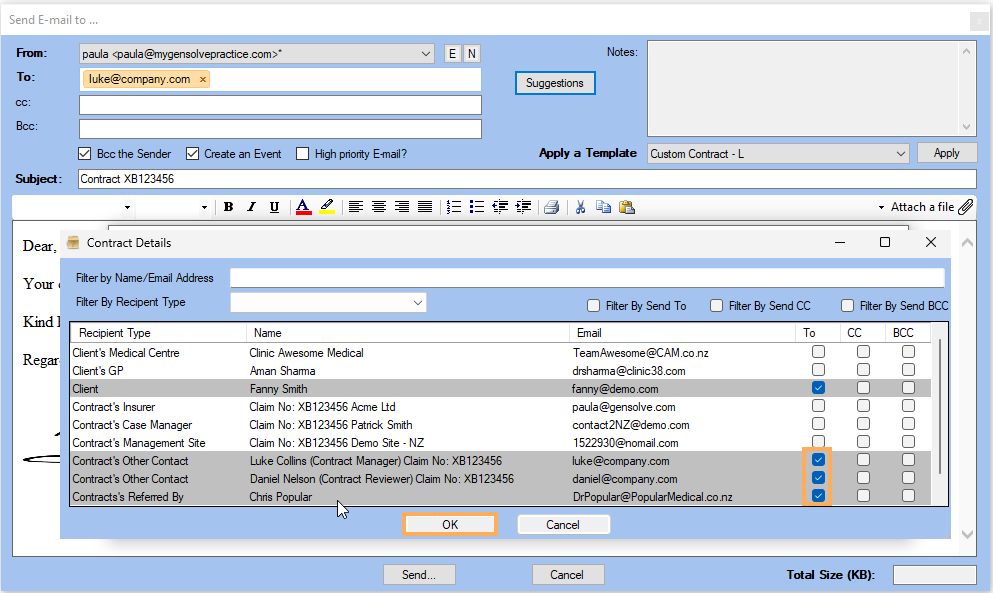
- Tick all To
mails required
Note: The suggestion button gives all the email addresses which are connected to the recipient being emailed. - Click on OK
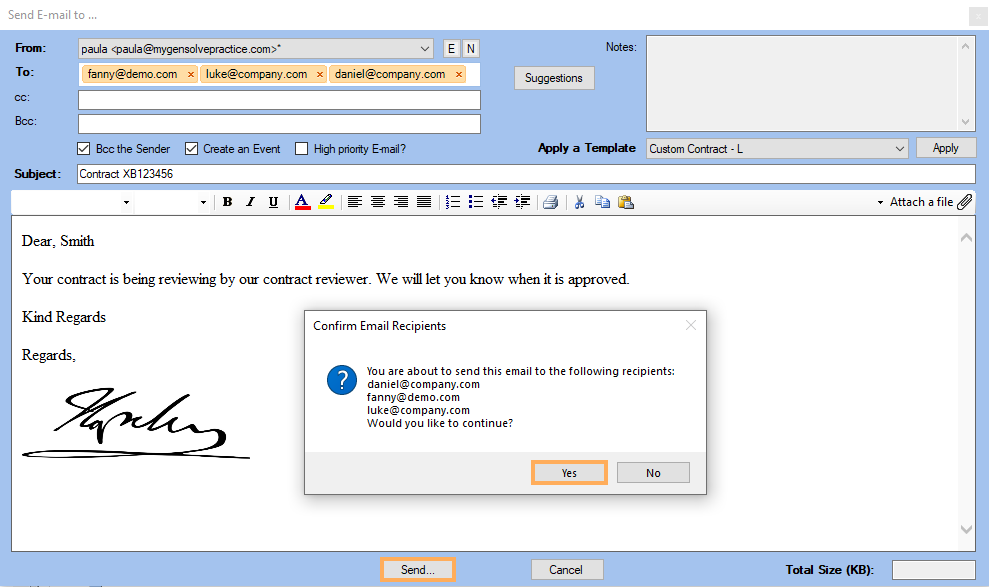
- Click on Send to send the mails to all recipients
- Click on Yes