


How to Show Payments on the Invoices Report
Issue
Would like to view the payments on the Invoices Report.
Solution
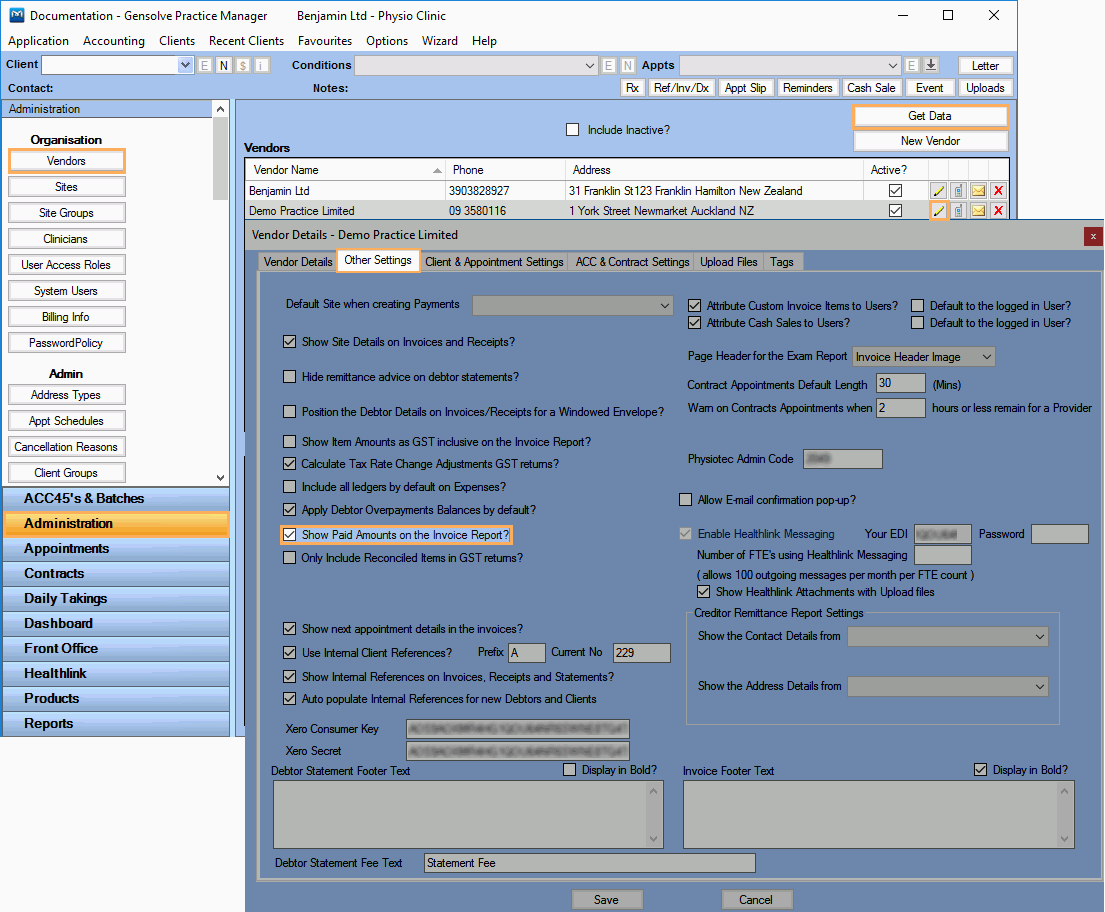
You will need to configure the Vendor Details as follows:
- Go to Administration >> Vendors and click Get Data
- Click on
 to edit the Vendor
you want to configure the Invoices Report for
to edit the Vendor
you want to configure the Invoices Report for - Click on the Other Settings tab
- Tick Show Paid Amounts on the Invoice Report?
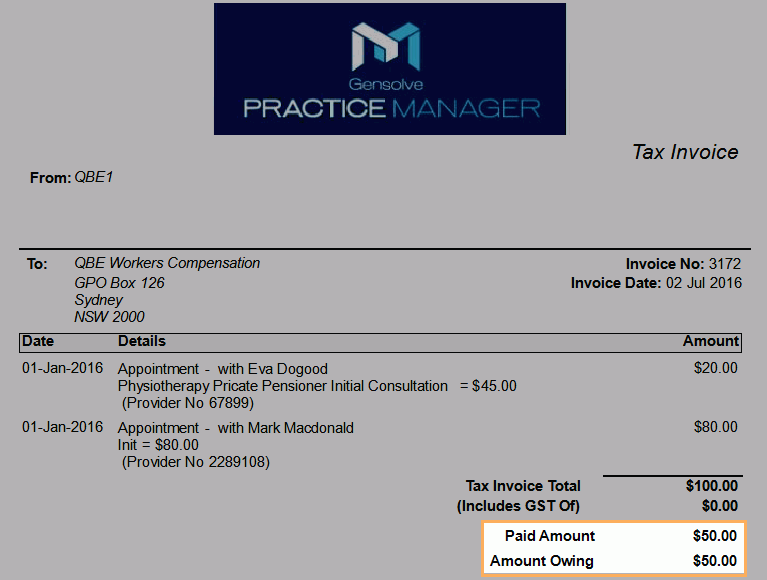
- Locate the invoice you want to see the payments for
- Click on
 to
view the Invoice Report
to
view the Invoice Report
NB: If the Invoice has been reassigned, two Invoice Reports will be shown, one for the original debtor and another one for the new debtor.
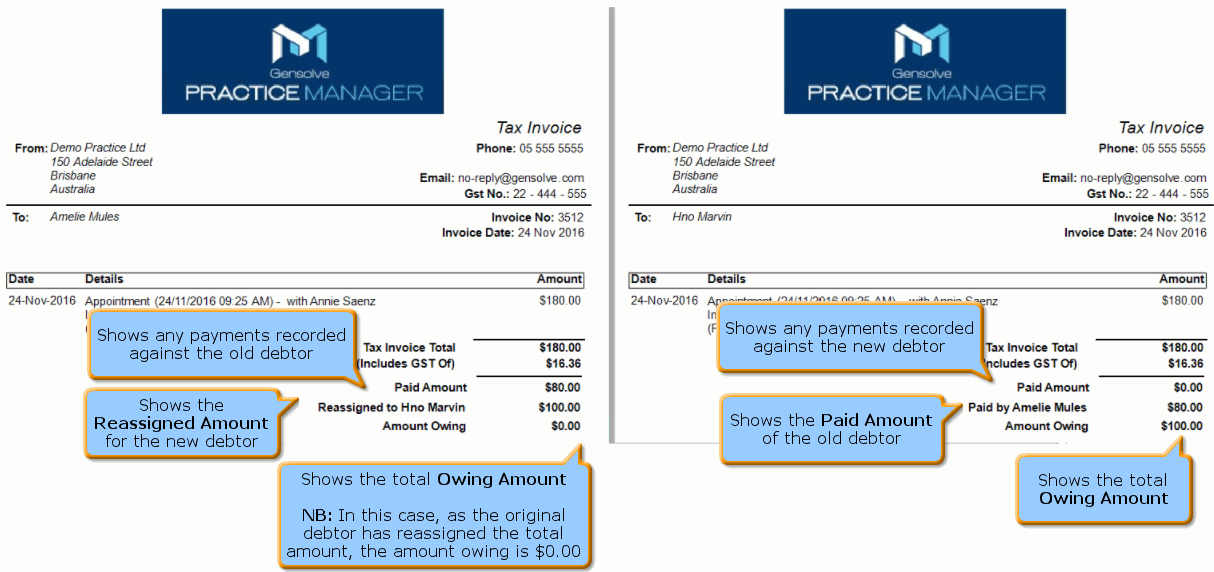

For more information see: How to Reassign an Invoice to a New Debtor