

Provider Not Showing On Appointment Book
Issue
A provider that should be displayed on the Appointment Book is not.
Solution
In order for a provider to show on the Appointment Book the following must be true:
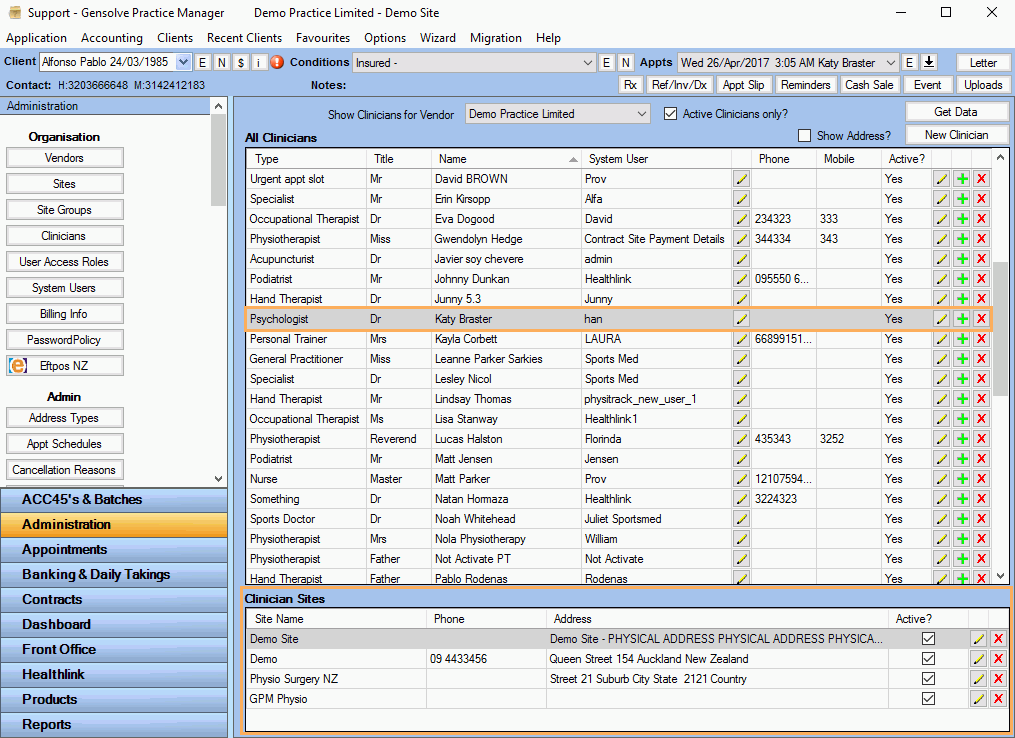
- The Provider is Active : Go to Administration
>> Clinicians then click Get Data.
Select the provider from the list and click on (Edit this Clinician's Details)

- The Provider must be assigned to the Site you are looking
at : Go to Administration
>> Clinicians and click Get
Data.
(Selecting the provider from the list will display the list of sites the Provider is assigned to in the bottom data grid)
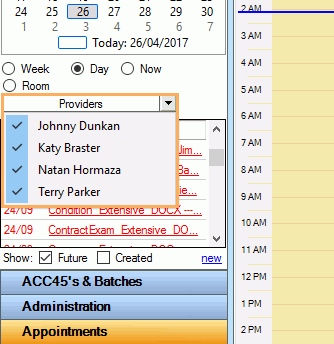
- On the Appointment Book and if Day or Now view is selected, the Provider must be checked in the drop down list of Providers that is shown below the Calendar.