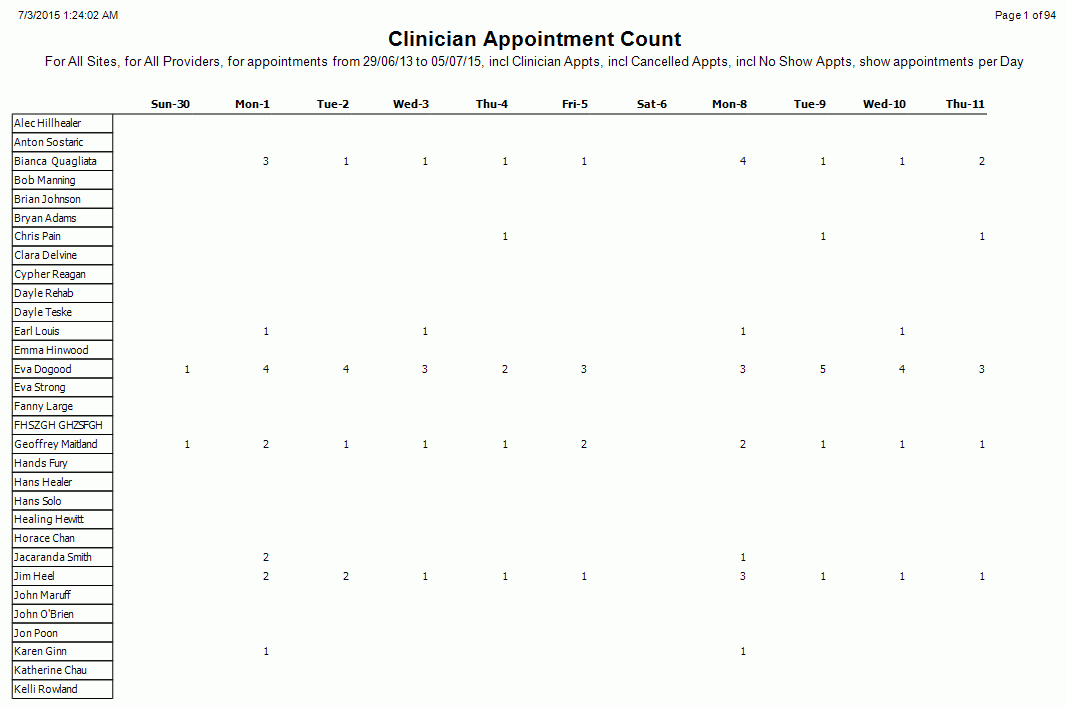
Clinician Appointment Counts
Description
This Report shows the appointment numbers based on Vendor, Site, Clinician and Count Period.
Report data can be grouped by Site, Clinician and based on a date range with the ability to filter Clinician appointments, Cancelled appointments and No Show appointments.
Running the Report
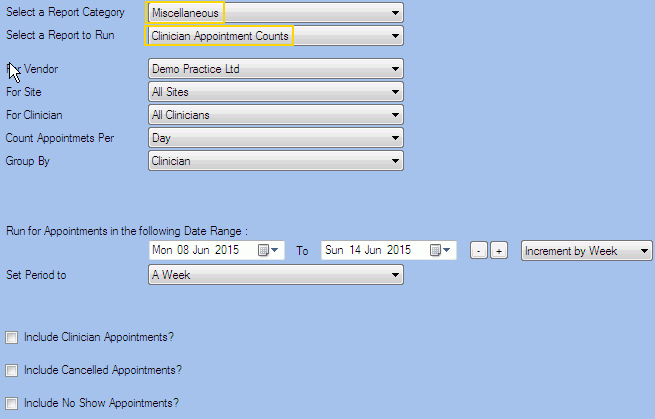
Filters
| Type | Description |
|---|---|
| For Vendor |
This filter allows you to run the report for a specific Vendor. |
| For Site |
This filter allows you to run the report for a specific Site. |
| For Clinician |
This filter allows you to run the report for a specific Clinician/Provider. |
|
Count Appointments Per |
This filter allows you to select the way in which the appointments will be counted in the Report (per day, week or month). |
|
Group By |
This filter allows you to group the report data by site or clinician. Please note that this filter will change how the totals are displayed. |
| Date Range |
This filter allows you to select a date range for which to run the report. This filter can be used in conjunction with "Set Period To". |
| Set Period to |
This filter allows you to set the date range to a specific Period (e.g. Calendar Year, Financial Year etc...). |
| Include Clinician Appointments? |
This filter allows you to specify whether the Clinician Appointments should be included in the Report. |
| Include Cancelled Appointments? |
This filter allows you to specify whether Cancelled Appointments should be included in the report. |
| Include No Show Appointments? |
This filter allows you to specify whether No Show Appointments should be included in the report. |
The Generated Report
Note: This is a sample report only.