


Service Charges
Service Charges define both the duration and billing amount associated with a particular appointment or service.
Prerequisites
To create a new Service Charge, please refer to How to Create a New Service Charge
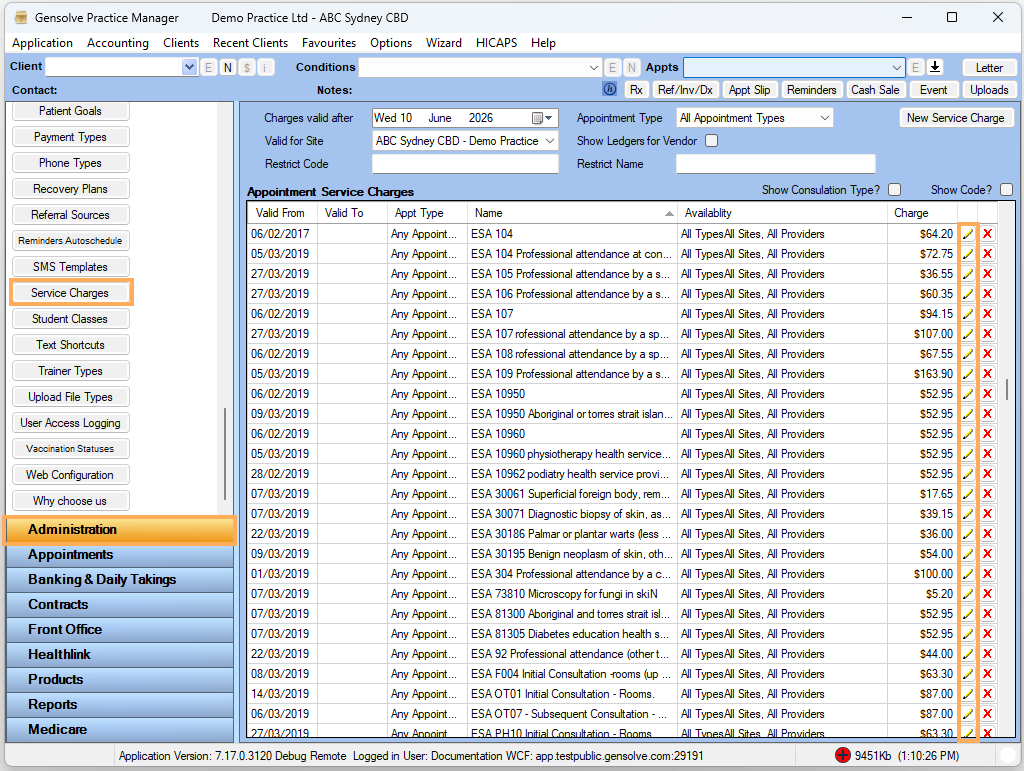
Service Charges can be managed from Administration >> Service Charges. Existing Service Charges can be edited by selecting the Pencil icon beside the relevant entry.
Consultation Types
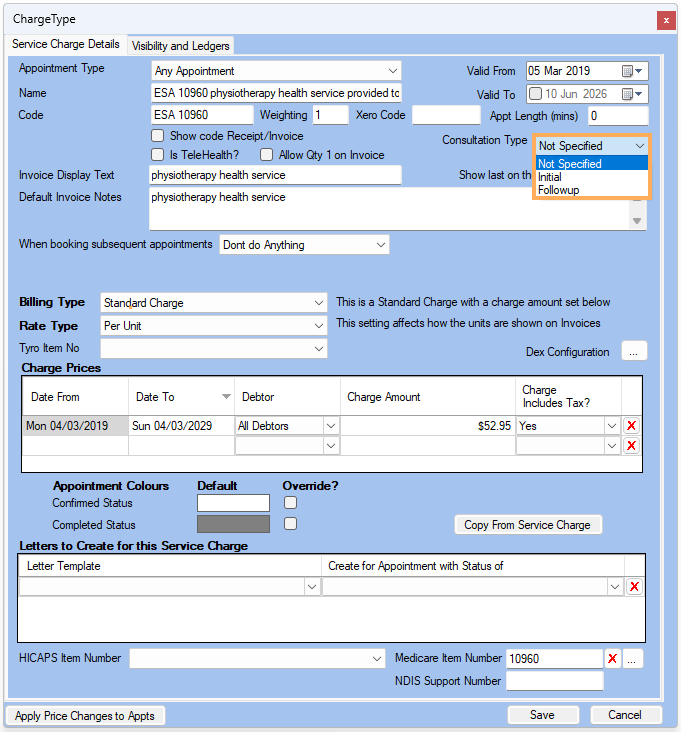
Each Service Charge can be assigned a Consultation Type to indicate whether it represents an initial consultation or a follow-up appointment.
The available Consultation Types are:
- Initial
- Follow Up
- Not Specified (default)
Assigning a Consultation Type allows Gensolve to better categorise appointments for reporting and analysis.
For example, the Initial vs Follow-Up Report available under Clinical Reports uses this setting to help monitor the balance between new client appointments and ongoing treatment appointments.
Booking Portal Considerations
Consultation Types are also used by the Booking Portal.
If a Service Charge is intended to be available for online bookings, it should be configured as either Initial or Follow Up. Service Charges that remain Not Specified will not be displayed within the Booking Portal and cannot be selected by clients when booking online.
Selecting a Consultation Type
To assign or update a Consultation Type:
- Open the required Service Charge.
- Locate the Consultation Type field.
- Select either Initial, Follow Up, or Not Specified.
- Save your changes.
Once saved, the selected Consultation Type will be used throughout Gensolve reporting and, where applicable, the Booking Portal.