

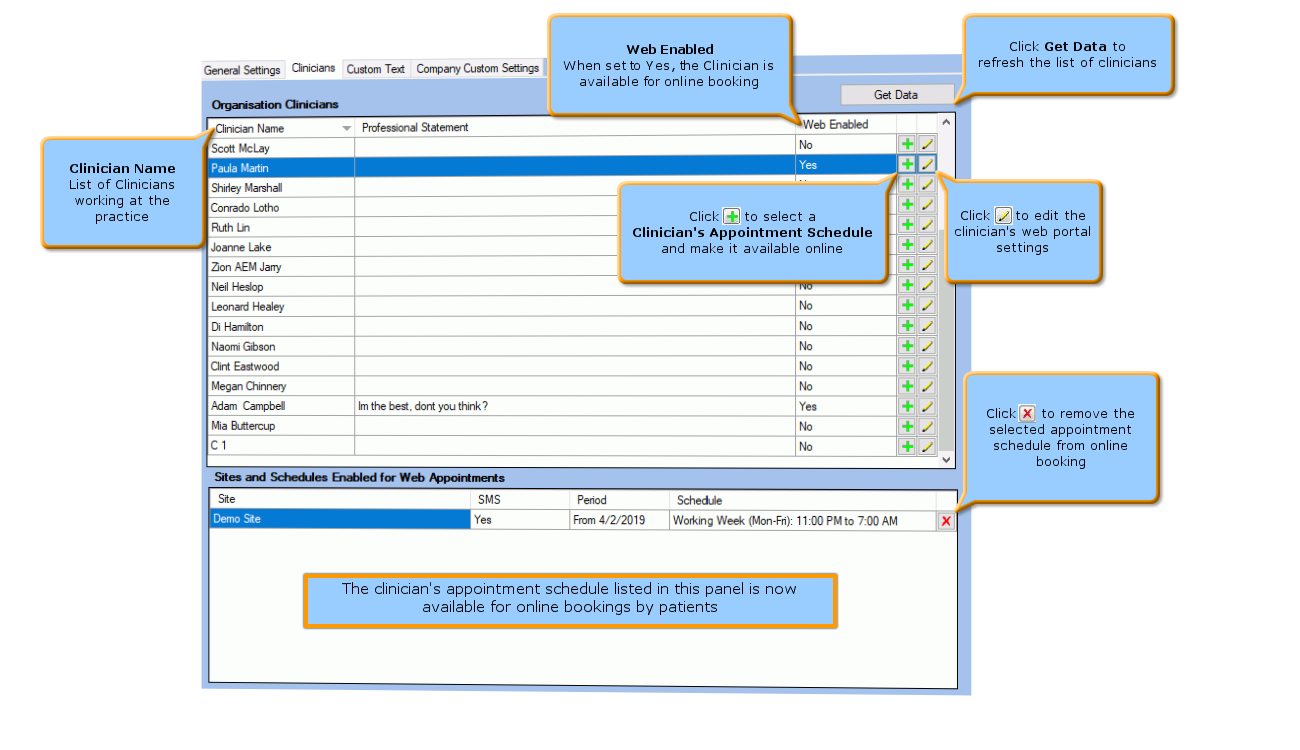
Web Portal Configuration - Clinicians Settings
Prerequisites
Clinicians Appointments Schedules have been created : See How to Create an Appointment Schedule
Service Charges for the Appointment Booking Web Portal have been created :See Setting Up Service Charges for the [WEB PORTAL]
The Clinicians tab is used to
configure the clinicians' appointment schedules
and the service charges that will be made visible to patients when
booking via the Appointment Booking Web Portal.
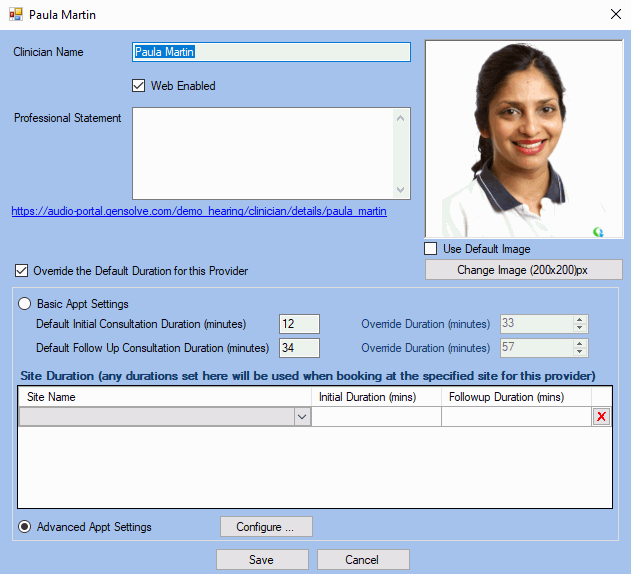
Edit Clinician Settings
Use this window to edit the Web Portal settings for a clinician.
- Tick the Web Enable setting to indicate that appointments can be booked online with this clinician.
- You will be able to override the default duration for each provider by setting up the Basic Appointment Settings (Initial and Follow Up appointments) or activating the Advanced Appointment Settings to include service charges within the Clinic Portal. For more information see: Setting Up Service Charges for the Clinic Portal.
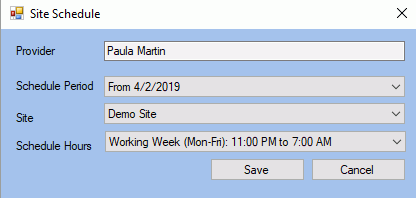
Add Clinician's Schedules
Use this window to select the clinician's appointment schedules that should be available for online booking.
Note: A clinician's schedules need to be created beforehand so that they are available to select in the Schedule Hours drop-down list.