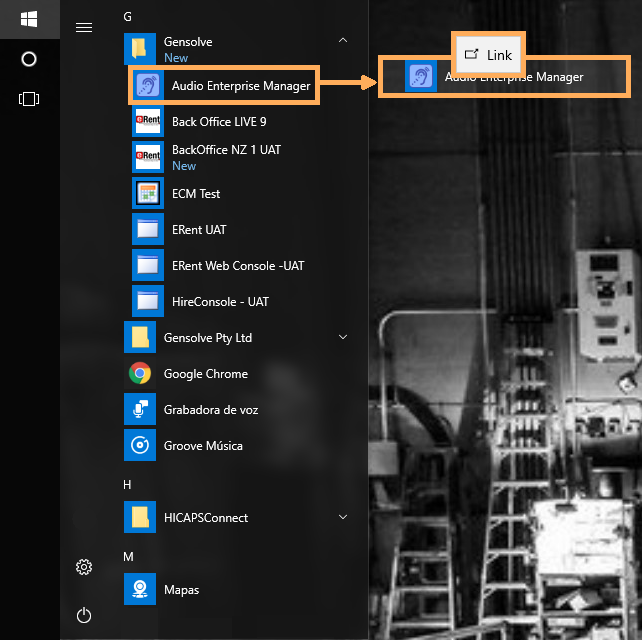


AEM Shortcut Icon
Issue
The Audio Enterprise Manager shortcut icon is missing from the desktop or no longer starts AEM when clicked on.
Solution
-
Minimize all windows that are opened on your desktop
-
Delete the Audio Enterprise Manager shortcut icon if it still shows on your desktop
-
Go to Start >> All Programs >> Gensolve >> Audio Enterprise Manager
-
Right- click and drag the Audio Enterprise Manager icon onto the desktop
-
On the popup menu choose "Create shortcuts here" to create a new working shortcut.