


Incorrect Merge Fields in Letter Template
Issue
Cannot create a letter under the Client's Letters and Uploads. It continually tries to load, then it freezes and I need to restart.
Reason
If the wrong merge fields are used in a letter template as compared to its Template Type, typically this is what will happen.
Solution
If you cannot create a letter because merge fields in the letter template don't match the Template Type used, follow the steps below to fix the issue:
- Go to Administration >> Letter Templates
- Locate the letter template you are having issues with
- Click on
 (before
Template Type column)
to test the template
(before
Template Type column)
to test the template
- If the merge fields are correct, they will be replaced with a ?
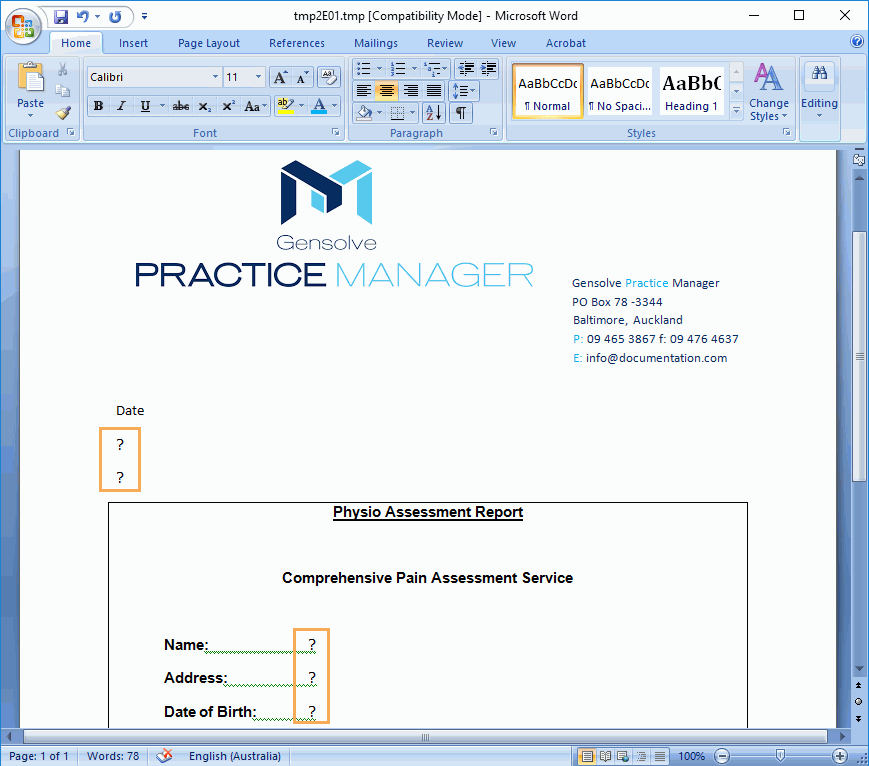
- If the merge fields are incorrect you will be presented with a warning message (one per each incorrect field) as shown below:
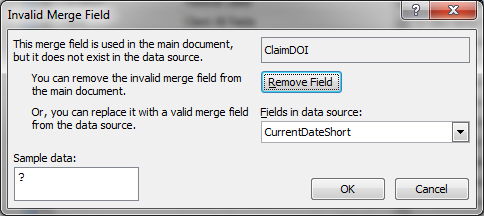
In this case, you can remove and/or replace the incorrect fields by editing the template.
For more
information see:  How to Edit a Letter Template