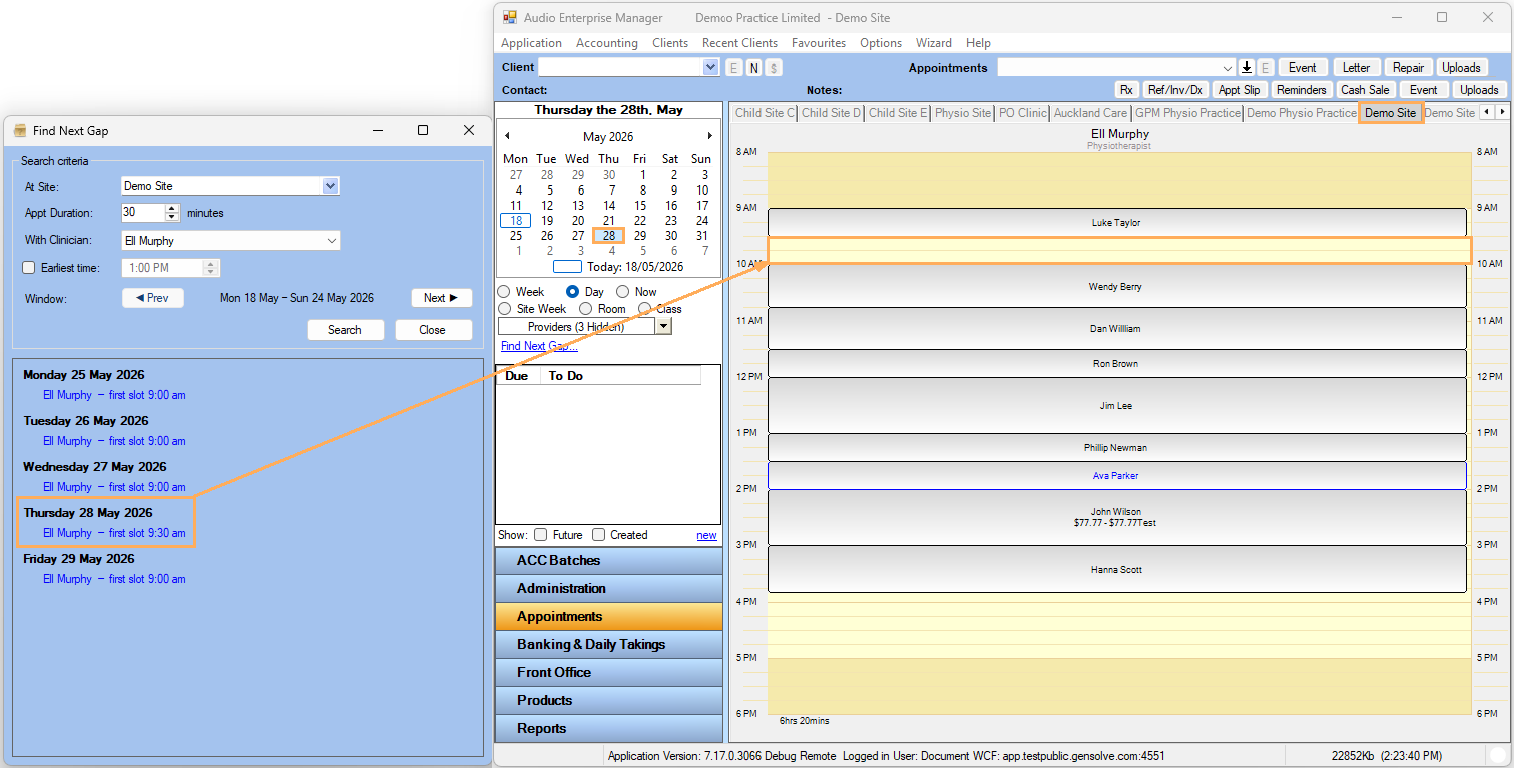


How to Find the First Available Appointment Gap
Issue
When diaries contain multiple clinicians and busy schedules, it can be difficult to quickly identify where the next available appointment slot is located.
Solution
Follow the steps below to find the first available appointment gap:
- Go to Appointments >> Click Find Next Gap >> Select the Site where you want to search for the first available slot.
- Select Appt Duration, With Clinician
- Tick Earliest time if you only want to find appointments after a specific time during the day. Or leave Earliest time unticked if you want to find the first available appointment of the day >> Click Search.
The Find Next Gap window will display the first available appointment
for each clinician during the current week (Monday to Sunday).
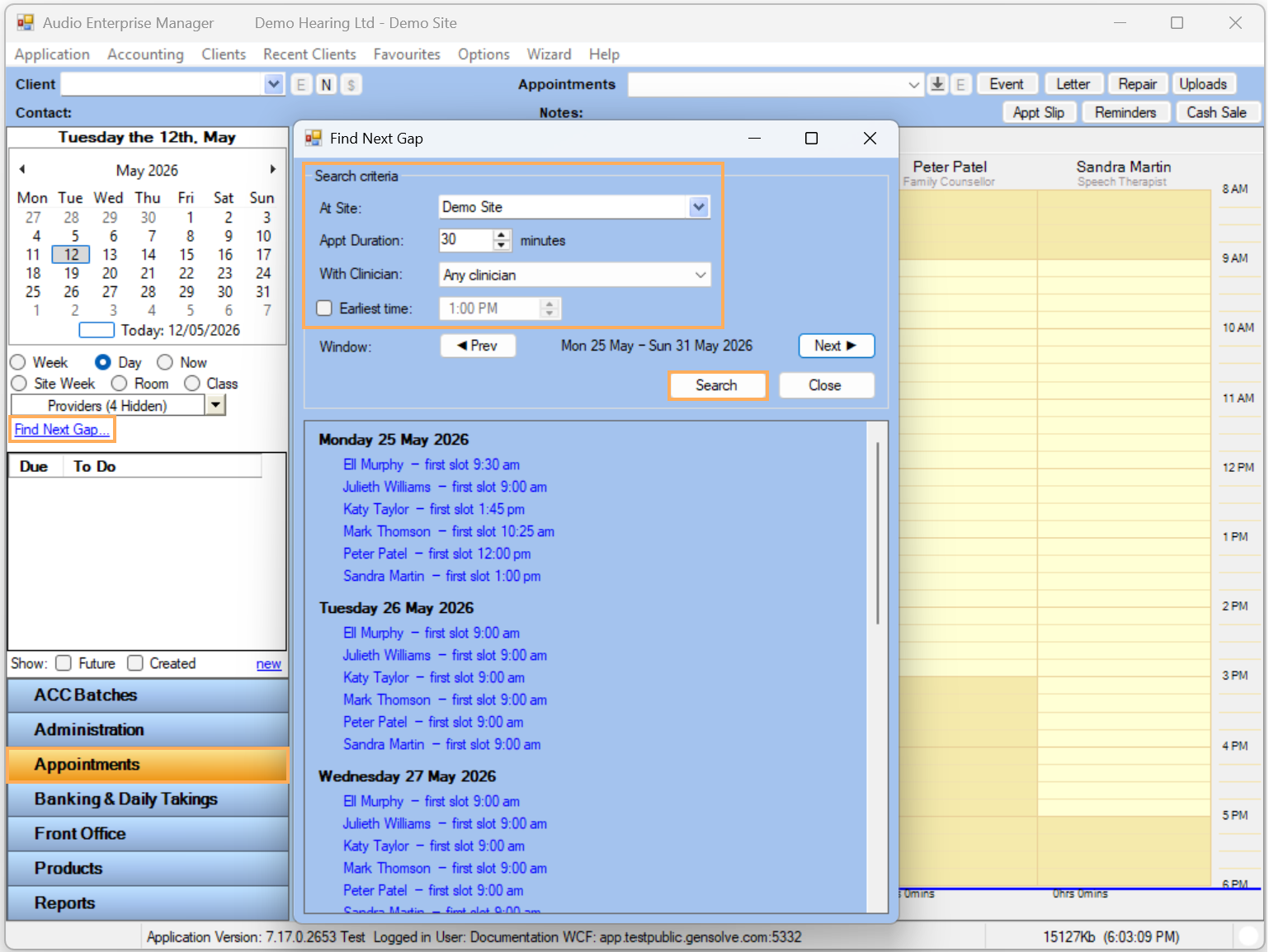
Use Next or Prev to move between weeks. The list will show the first available appointment each clinician has available for each day.
- Once you find a suitable option, go to Appointments
>> Select the Date, Site and Clinician. The available
slot will appear in the diary and you can proceed to create
the appointment