


Clinical Reports
Running Clinical Reports
Clinical Reports give information relating to Client Conditions, Appointments and Treatments linked to those conditions.
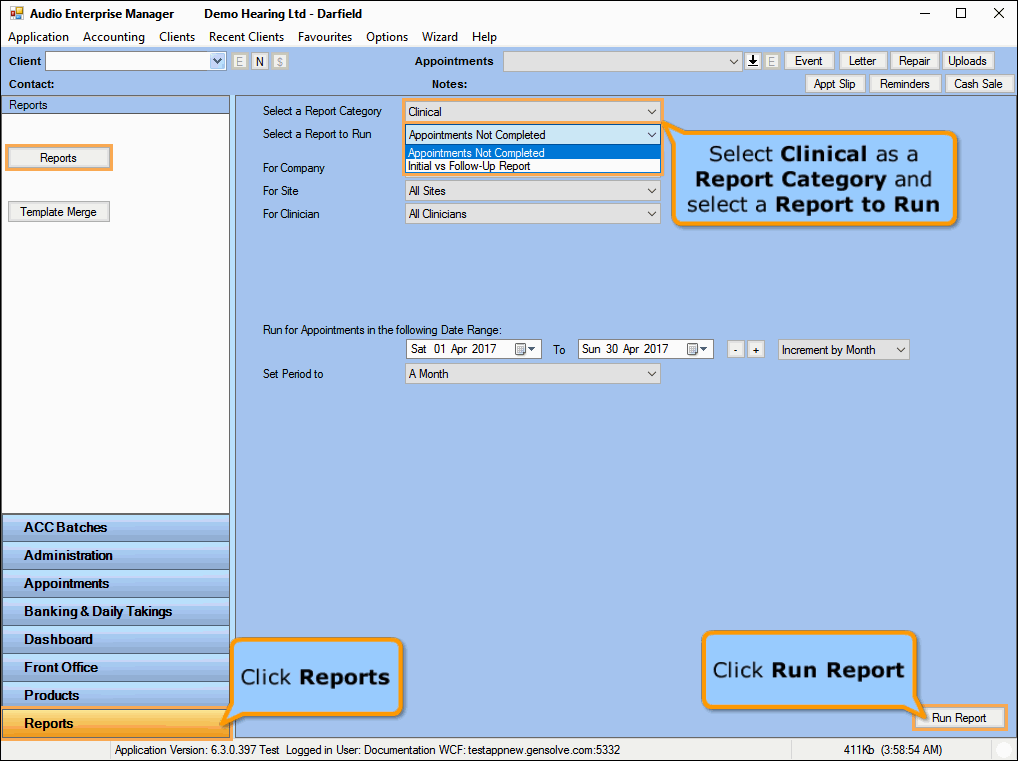
- Go to Reports >> Reports and select Clinical from the Report Category list.
- Then select a report in the Report to Run list.
- Set up the filters to select the data to be run for the report.
- Click on Run Report to generate the report.
 The
Clinical Reports
The
Clinical Reports
Click on a clinical report below for a more detailed description.
| Report | Description |
|---|---|
|
This report shows all Client Appointments that have not been marked as Completed. |